
Borrowing and ordering
Here you can see how to borrow and order books at the library and how to access journal articles. Get answers to the most frequently asked questions about loans, library cards, and orders.
Borrowing and ordering books and articles is free for INN students and staff.
Books have a loan period of 30 days.
In borrowing from the library it is understood that you accept the conditions of our loan policy.
Borrowing and ordering books
Use the Oria search service to find the books you want to borrow.
To place an order, you need to be logged on to Oria.
You can order:
- Books that are currently checked out.
- Books that are available at one of the other campus libraries.
You cannot order:
- Books that are available on the shelf at your campus. You must pick these up yourself.
- Books for delivery to other libraries.
Syllabus literature
Questions about borrowing books
Order books from other libraries
If the book is not available at your campus library, you can order it from one of the other campus libraries. If none of the campus libraries have the book you need, you can request it from another specialized library in Norway.
Ordering from other specialized libraries (Interlibrary Loan)
If you can’t find the book you’re looking for, you can change the search to "Norwegian Academic Libraries" from the dropdown menu in Oria.
This will give you access to more books from other Norwegian universities and colleges.

We only place interlibrary loans for literature used in studies and research at INN. For leisure reading, we ask you to visit your nearest public library.
Can't find the book in Oria?
If the book cannot be found through searching Oria, please fill out this form or order by e-mailing your campus library.
Select the correct pickup location
When ordering through Oria, you need to collect the book from the campus library you choose as your pickup point.
If the book is already available on the shelves at a campus library, that library cannot be selected as your pickup location.
When are ordered books available for pick-up?
- You will receive an SMS or an e-mail with a pick-up number when the book can be collected.
- Match the pick-up number in your SMS/e-mail with the corresponding number on the pick-up shelf.
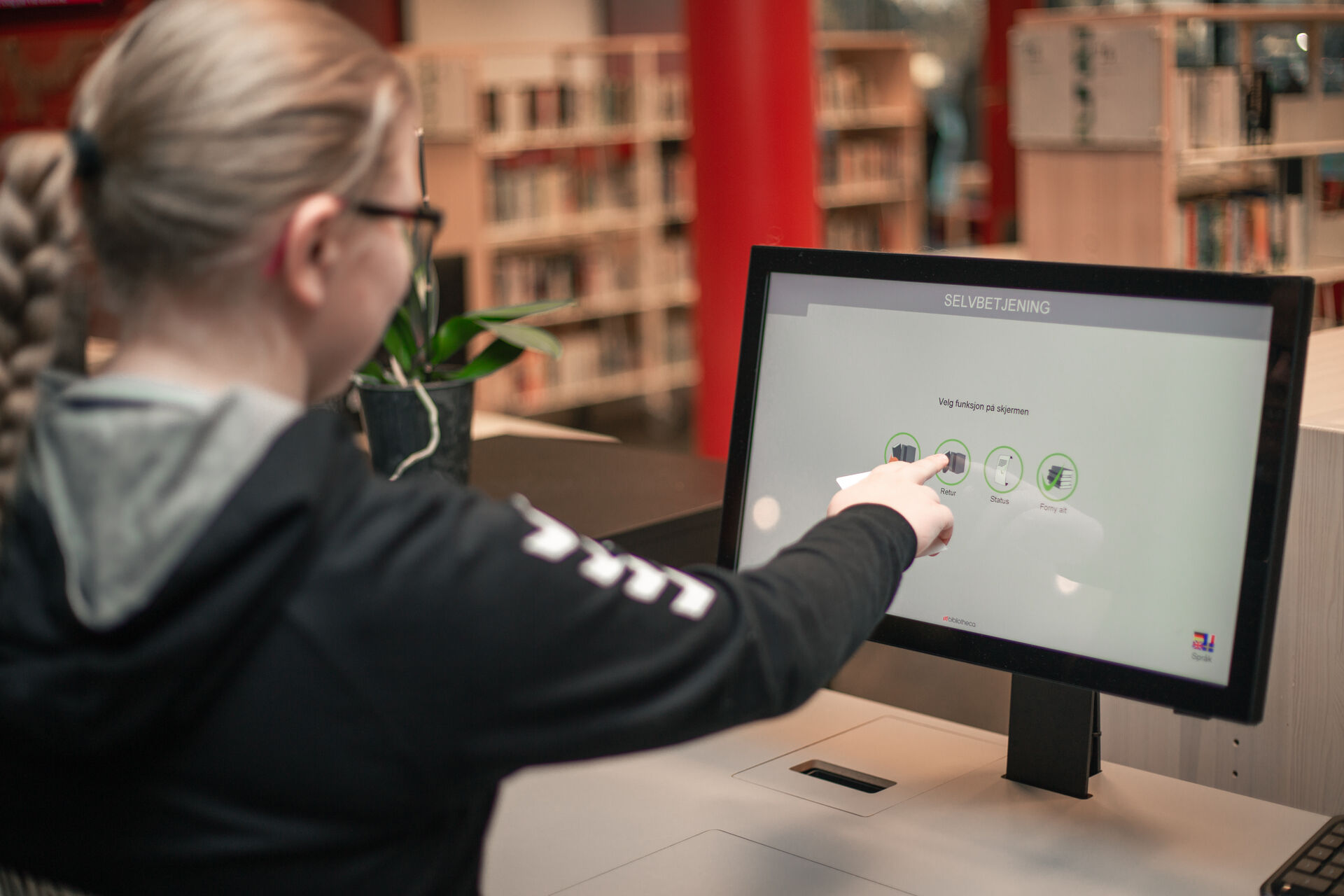
- Proceed to borrow the book on the self-checkout machine.
- Reserved books must be collected within seven days. Notify the library if you cannot pick up by this deadline.
Returning books
You can return library materials by either:
- using the self-checkout machine
- or at the book returns or reservation box
- You can return books to whichever INN University library you like.
Have you gone home?
Ask your local library if they may return books borrowed at other libraries. Most libraries do.
Return books by ordinary mail. Contact information for your library.
Please be aware when returning a book at a library other than one of the INN University libraries, it will take some time before the loan is registered as returned in our system. The book is not returned until it is physically received at one of the campus libraries. This implies that you can receive a reminder in the meantime.
Patrons are responsible for returning library materials.
Renewing loans
Loans are automatically renewed up to 5 loan periods if there is no waiting list.
Loans are not renewed if:
- The on loan materials are reserved for another patron.
- You have renewed your loan 5 times. If there is no waiting list, you can bring the book to the library counter, and borrow the book anew.
- You have lost your borrowing privileges due to a second warning or a claim for compensation.
Loans from other libraries
Be aware that automatic renewal does not apply for loans from other libraries (interlibrary lending). Requesting renewal of such must be performed while signed in to Oria.
- Click "Sign in" in the top right corner
- Select Login: [Feide for students and employees at INN]
- Choose «Universitetet i Innlandet» as affiliation: Log on with Feide
- Proceed to «My account»
- Renew all loans by clicking "Renew all", or click "Renew" for selected loans.
External patrons can sign in using their username/password or registered email.
Please contact the library if you have problems renewing loans.
Library card
Your student or staff card is your library card. Students can also use the Student ID mobile app to borrow books. Both students and staff are automatically registered as library patrons.
External patrons: Students and staff from other educational institutions may use their regular student/staff cards as a library card, as soon as it is activated by us. All others can become registered patrons through personal attendance, and by providing identification papers. Bring your library card from the public library, if you have such.
Are you off campus?
Use your local public library
As a student you can also use your local public library to procure books. If they don't hold the book themselves, they can order it in from other libraries.
Visit your local library or order directly through Biblioteksøk.
Order books through Biblioteksøk
Requirement: You must have the Library Card and be registered as a borrower at the local library where you wish to pick up the ordered books. Borrowing books is free of charge.
Borrow directly from other university libraries
If you live nearby another university college or university library, you can ask them to be a library user. You must visit the library in person to borrow from their collections, but you can not expect that they will order in books from other libraries for you.
Journal articles
Read and order articles from Oria
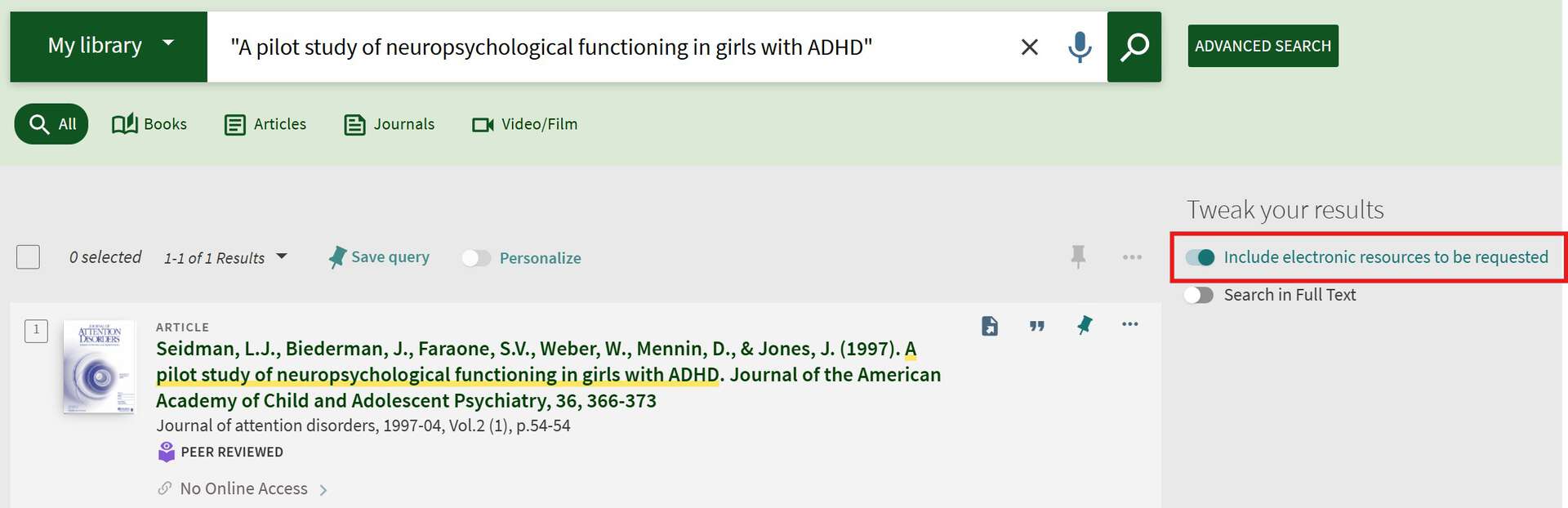
If an article is available online, it will be marked as "Available online," along with links to the full text.
If the article is not accessible online, it will be labeled "No online access." To place an order, you need to log on to Oria first.
When searching for articles in Oria, you can select the option "Include electronic resources to be requested" from the menu on the right. This will include articles that aren’t available for immediate online reading in your results but which can be ordered.
Read and order articles via Google Scholar
To do this you must first add Universitetsbiblioteket i Innlandet - INN in the "Settings" menu in Scholar. [Add ]

- Click on the arrows and choose "Find it@INN"
- You will then be forwarded to Oria
- If you're not signed in to Oria, click on "Sign In" You have to sign in to request
- Click the button "Resource sharing"
- Check the box for "Article" and make sure all article details are correct
- Confirm your order by clicking the "Send request" button
Lost or damaged materials?
Please contact your library if you cannot find the borrowed item or it has been damaged. In such cases, you can compensate for the loss by purchasing a new item or paying a replacement fee.
Suggest a purchase
Is there material you think the library should have? If you have suggestions for acquisition to the library, please email us your suggestions. Contact your library.
Staff can submit purchase requests directly from Oria.