
When you have completed a search, it is a good idea to save it so you can easily retrieve it later. The search history is essential when you need to document searches for your assignment. By using 'My Favourites', you can reuse previous searches.
Saving searches and results
You can save both your search results and the search itself in Oria by clicking on the pin symbol. You will find your saved searches and results under [My favourites]. [My favourites] can be accessed by clicking the pin symbol on the right-hand side of the top menu.

Saving search history
You can choose whether to save your search history and if you want search suggestions based on previous searches in Oria. This can be useful if you frequently search for the same topics.
When you are logged in, click on the menu in the top-right corner next to your name and select [My details and settings].
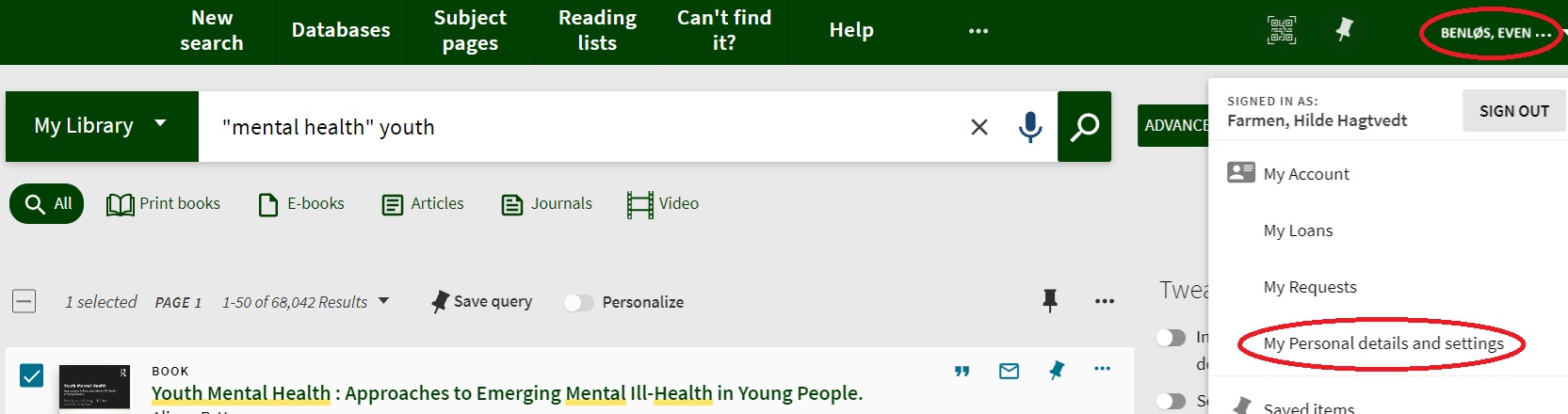
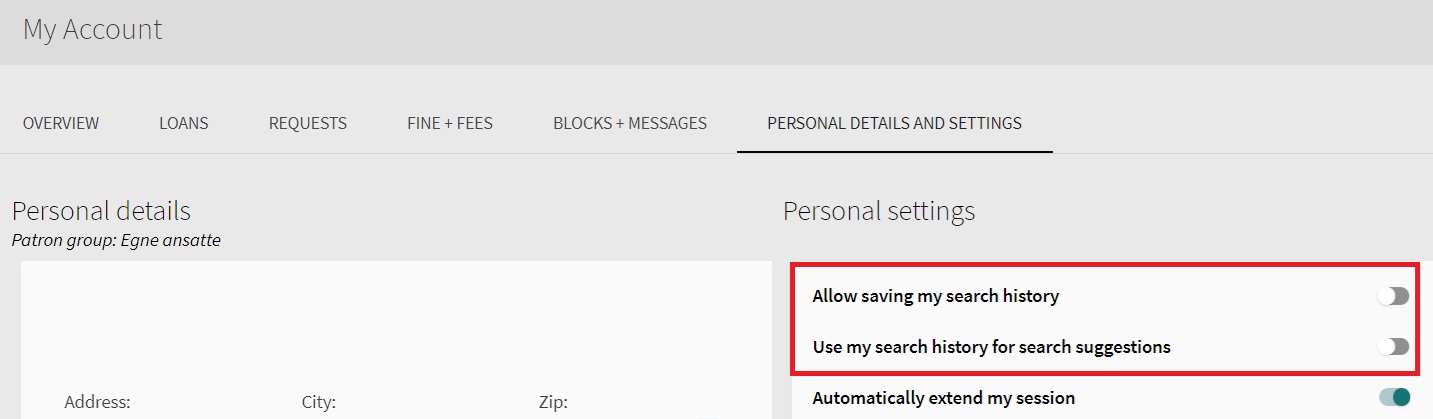
Under [settings], you can enable the use of your search history.
You have two options.
-
Allow saving my search history
If you enable this option, all searches will automatically be saved under My favourites from now on.
The next time you log in to Oria, you can find your previous searches under 'My favourites' and in the [Search history] tab.
Remember, you can always turn off tracking again. Your search history will only be accessible to you.
-
Use my search history for search suggestions
If you enable this option, your saved search history will be used to provide search suggestions in future searches. Saved search suggestions will be indicated with a 'clock' icon.
